2026 / COMPLETE
From a single visual reference to a controllable, human-directed digital observatory.
00 / Result
GOAL
L’s Observatory began with a simple idea: I wanted a stable place where I could make public what I write, work on, code, and research. It is part portfolio and part public archive. Naturally, I could have built a simple website or blog, or just posted directly on social media; however, I wanted to challenge myself.
I am quite satisfied with the result. I think it hits the exact balance I wanted: something simple, visually interesting, and stylistically unusual, yet still rather cozy. I also learned new skills in AI development—particularly using references and Labs to map specific visual features and quickly experiment with visual styles.
01 / Reference
TRACING
The initial phase of any project is brainstorming and planning exactly what will be done and—ideally—how it will be done (although that last part is often skipped, since having ideas is interesting; thinking through how to produce those beautiful images in our minds is usually less so).
Since I am a physics student, I naturally veered towards something related. Using ChatGPT, I generated a reference around the visual style I liked. Initially, the site was going to use a strict ASCII style, but it slowly developed into the dot-and-micro-glyph language used now.
The first practical problem was composition. Codex can generate a stable, simple model rather easily—the Observatory and the hill it sits on, for example. Procedurally generated cities and mountains are different. They introduce depth, occlusion, and a much larger Three.js scene, and things become complicated rather quickly. From my experience, and particularly in this workflow, models are still not entirely capable of creating a coherent full 3D scene—especially once camera-position restrictions are added. Given the scale of the environment, capturing convincing depth without simply generating tens of thousands of buildings is also difficult for the models.
My solution to positioning all of this was to draw the important boundaries over the reference and let the agent identify and map them. That gave us a shared, precise idea of where the objects should actually be.
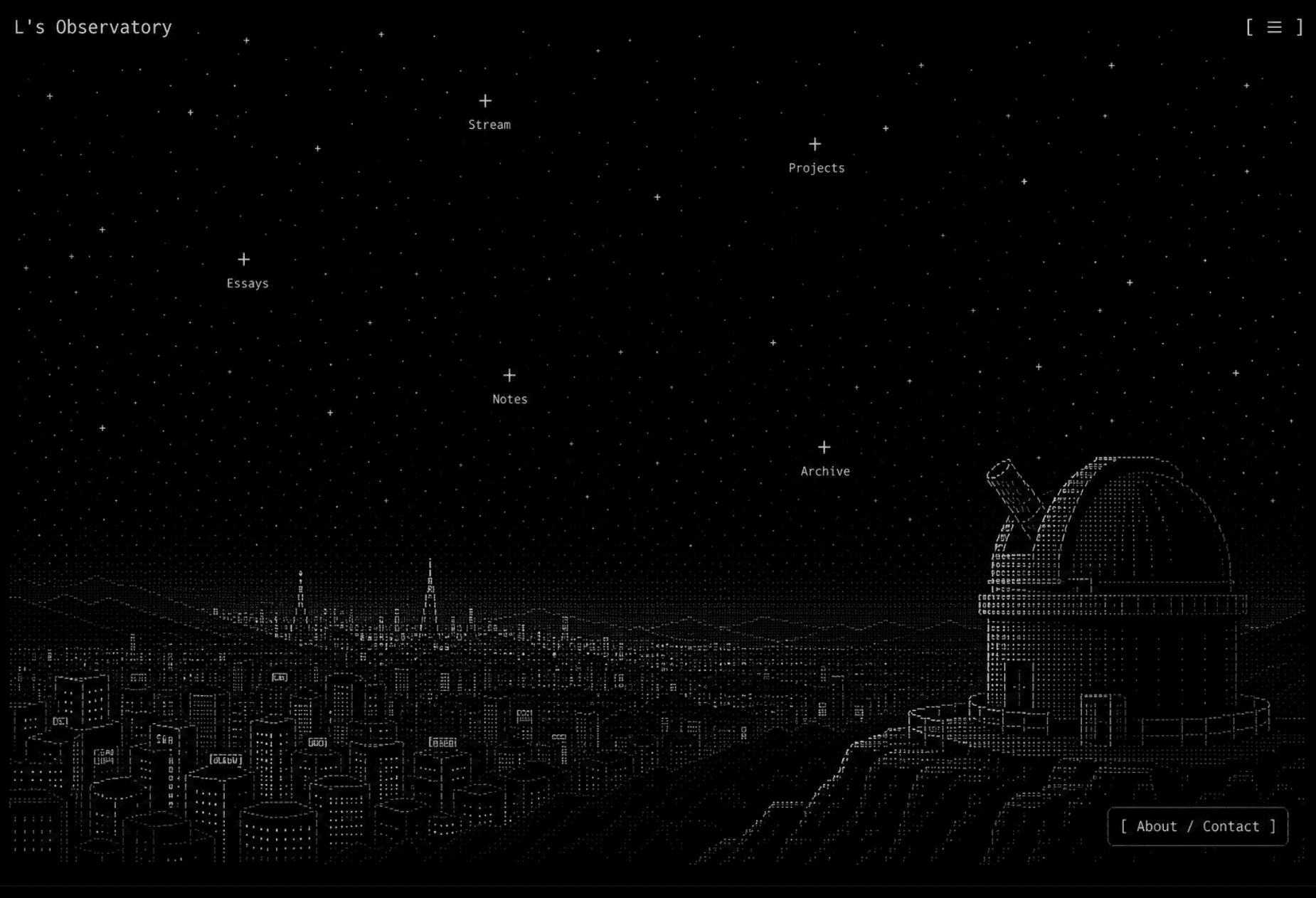
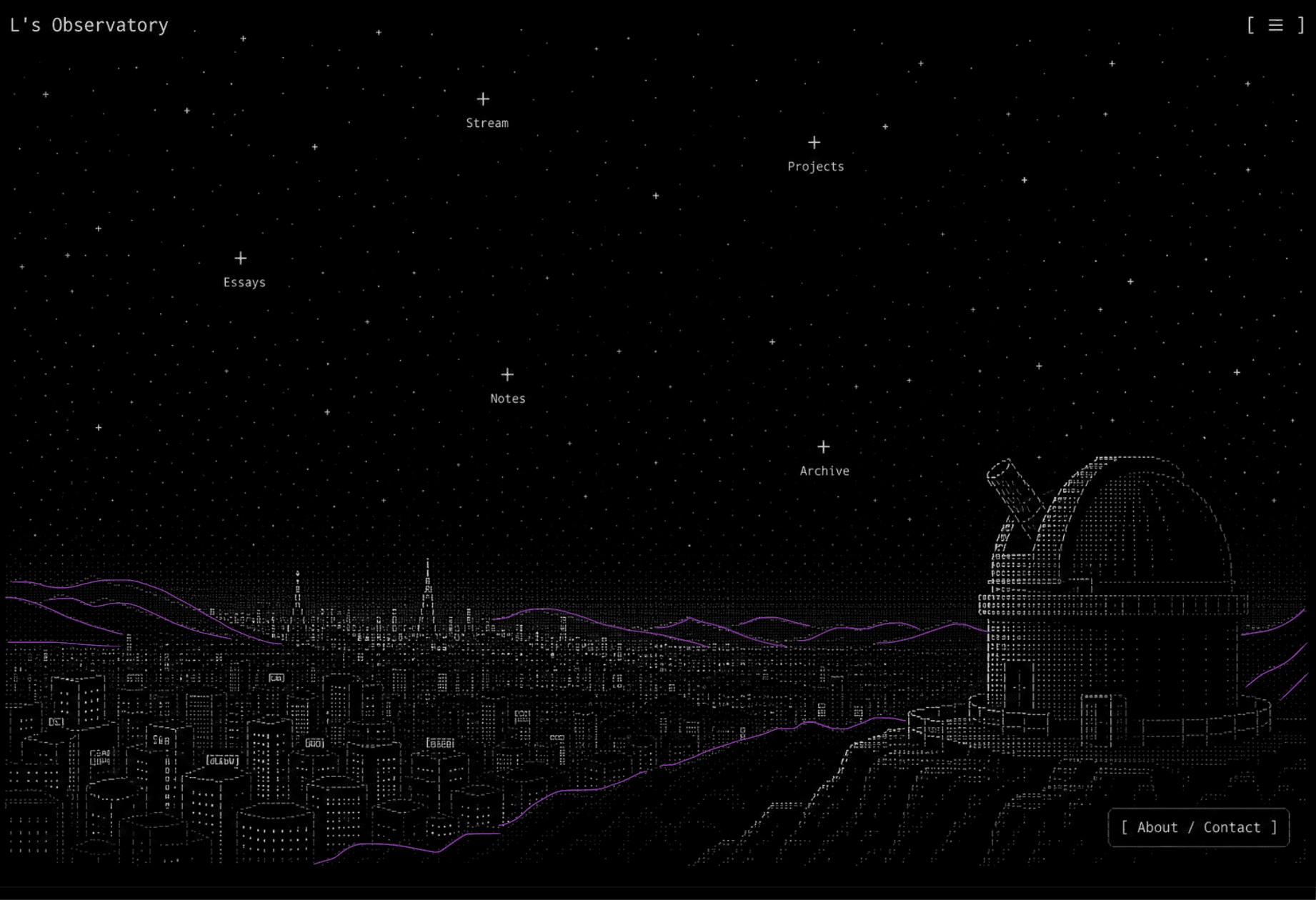
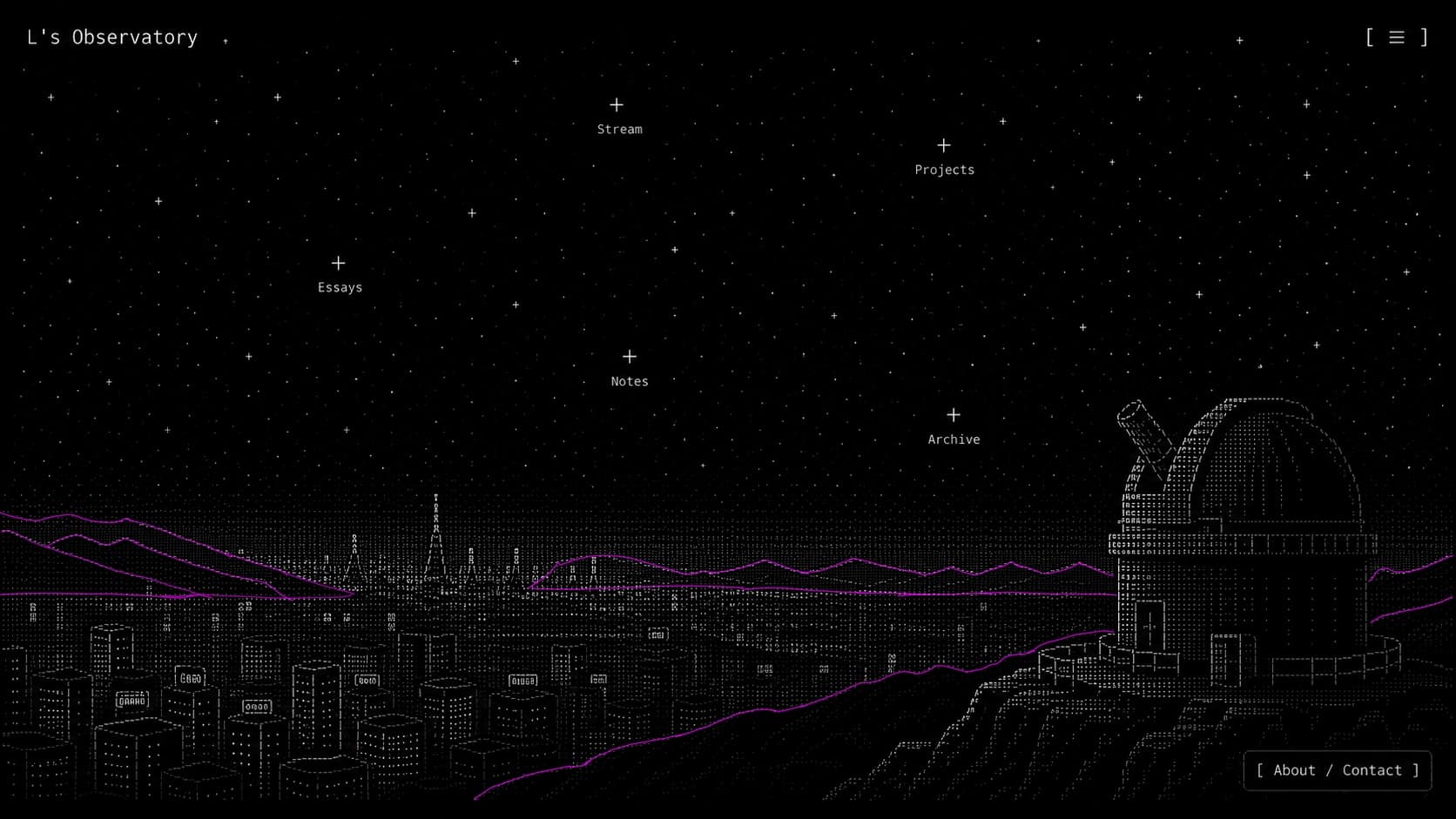
The great advantage is that it removes the ambiguous back-and- forth of “move it a little to the right”, followed by “no, that was too much—move it back”, followed by “still wrong...”. Instead, the desired locations are deterministic. The dotted style admittedly makes small compositional mistakes harder to notice, but the tracing principle should remain useful far beyond this particular project.
The final composition is deliberately half 3D and half 2.5D. The mountains and city are 2.5D, while the Observatory remains fully 3D because we need a stable object that can later be animated. The style also makes it possible to combine 3D and 2.5D without noticeable visual incoherence.
02 / Workflow
THE IMPORTANCE OF AI-DEV-PACKS
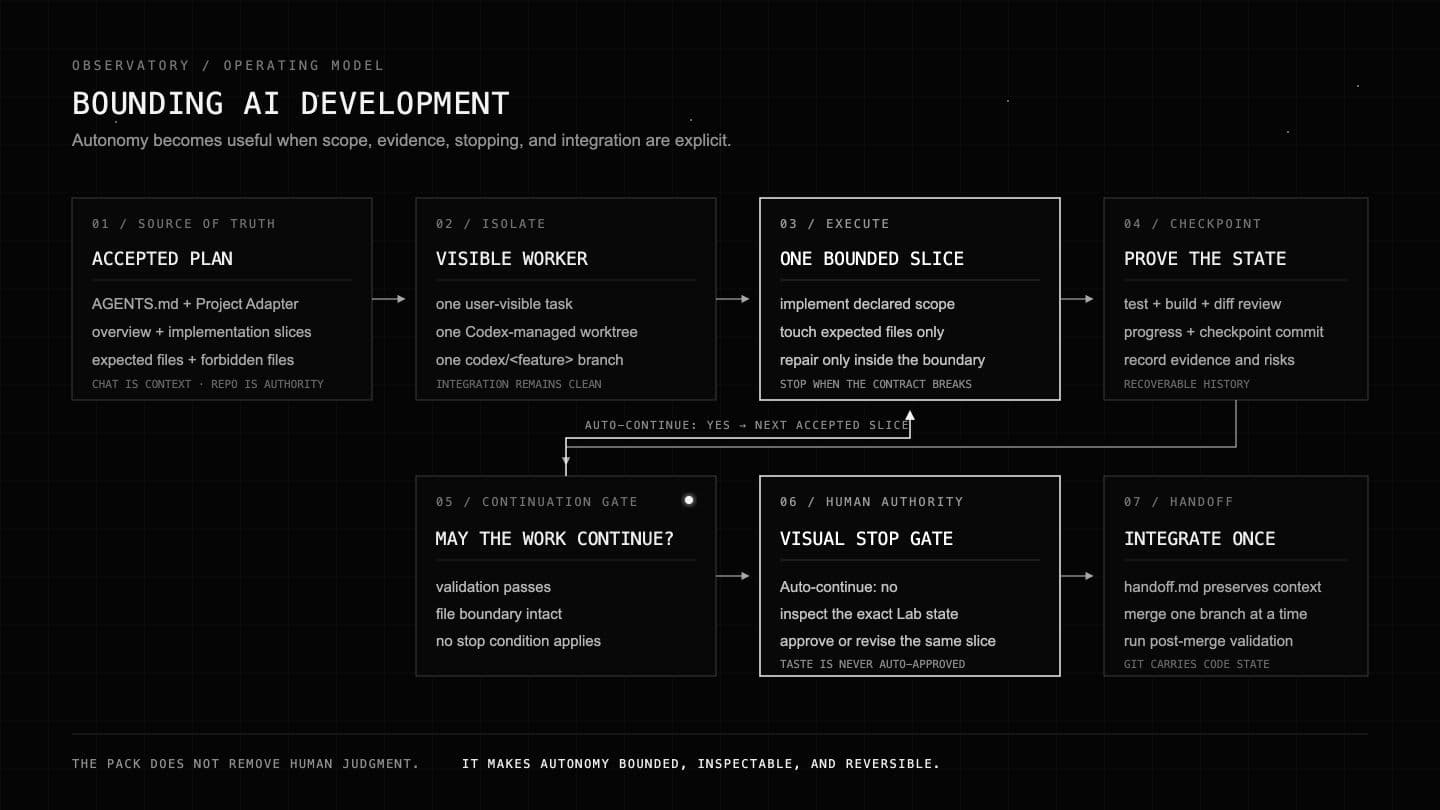
To streamline safe AI development, it is important to have a system—a collection of prompts and protocols that an agent follows—covering feature planning → implementation planning → contained implementation → review and testing → production merge. Once the development architecture is already defined, prompts no longer need to repeat every safety precaution or explain each ordinary step. The truth is that we often underestimate how much work agents can do, and so we over-prompt them.
My ai-dev-pack is deliberately simple. Planning is the most important phase: it is where I brainstorm each feature, define its tests, bound the files it may change, and decide whether the agent may continue automatically. Straightforward, low-risk work can usually auto-continue. Riskier work—and especially work that depends on visual judgment—stops for human inspection, even when every automated test has passed.
It is also important to use Git to its maximum capacity. The protocols create the necessary worktrees and branches, which means my own job becomes one of brainstorming, orchestration, bug testing, and code review. Every feature lives on a codex/<feature-slug> branch, moves into codex/integration, and only reaches main after the combined repository has been tested. Because the pack is project-independent, I can begin a new project with that organisation already in place.
03 / Systems
BUILDING IN LAYERS
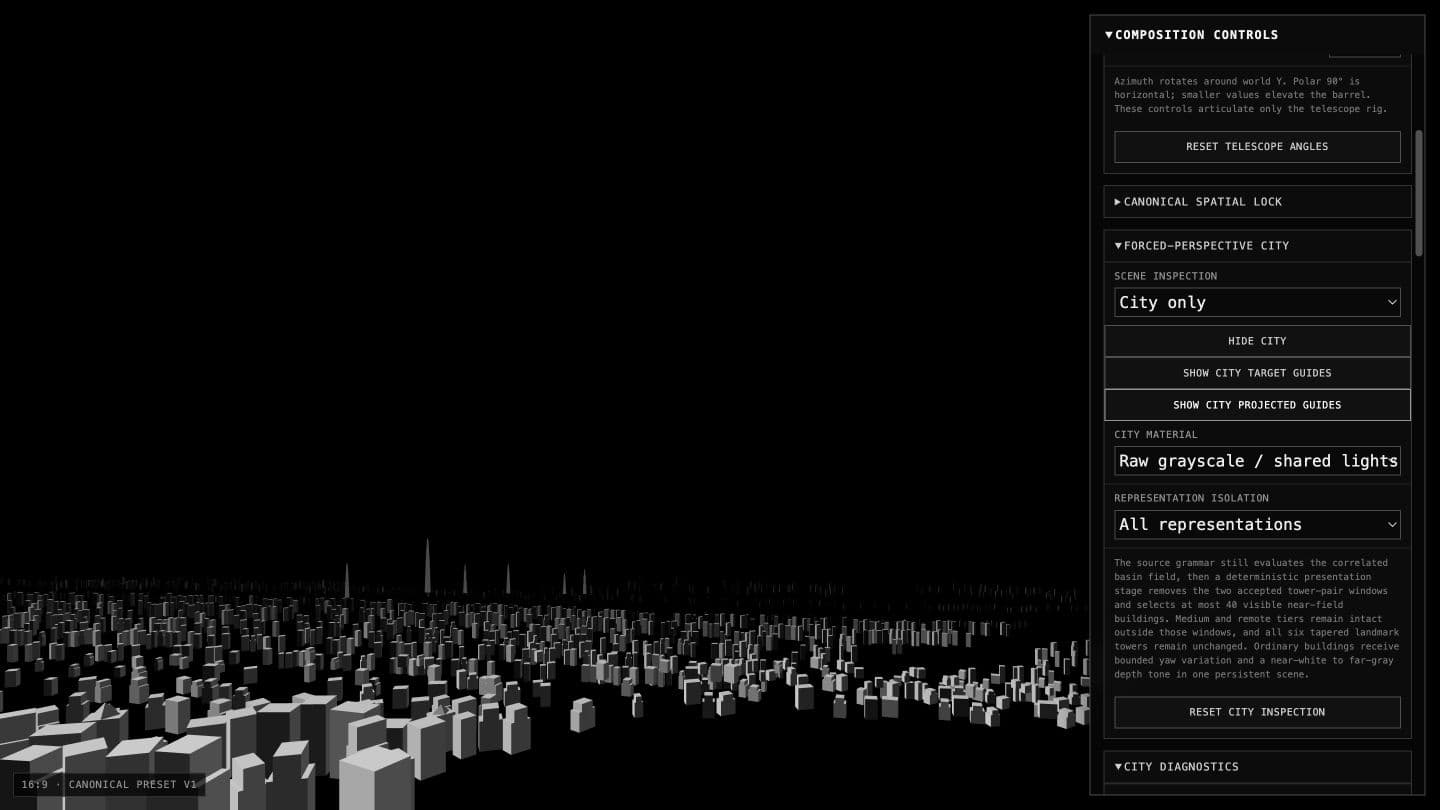
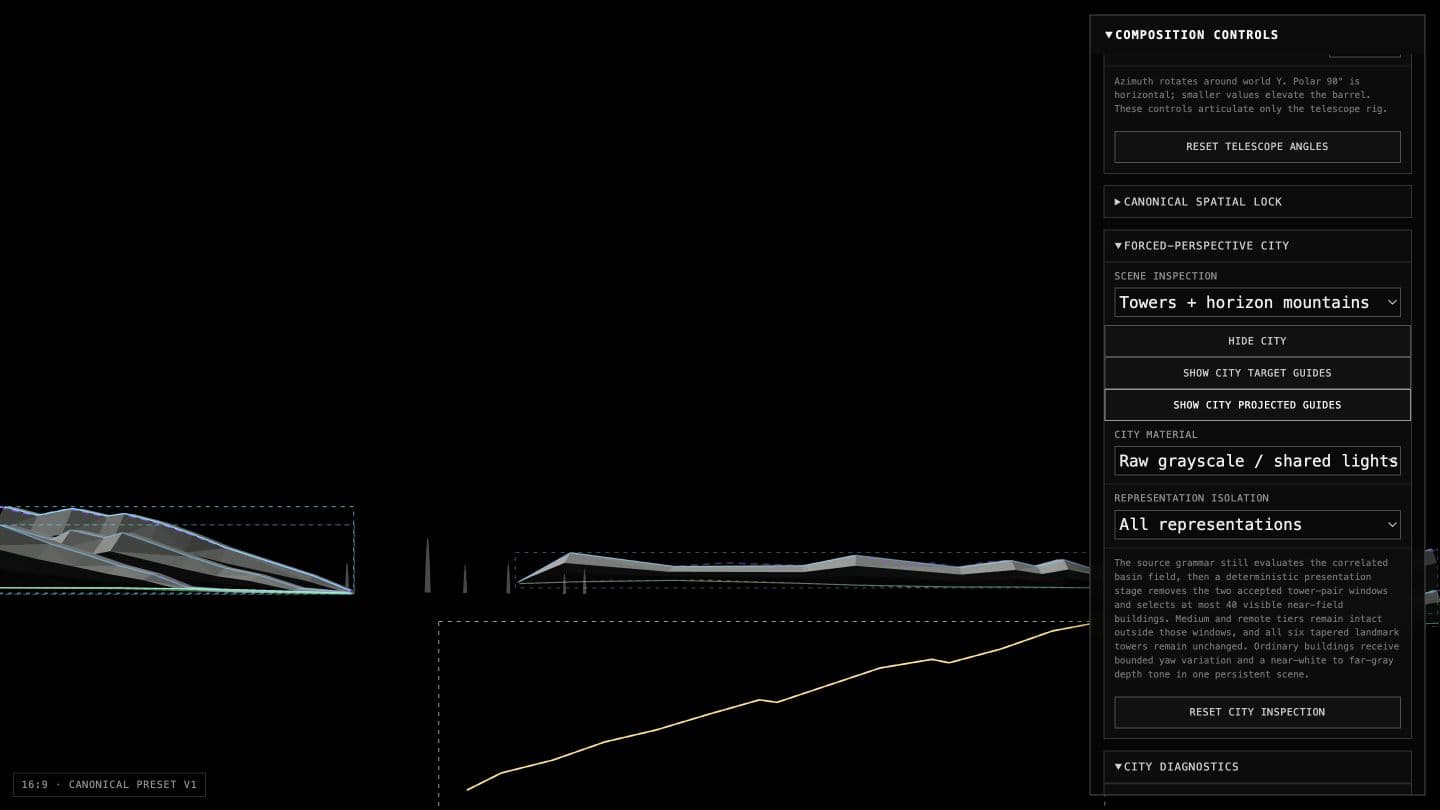
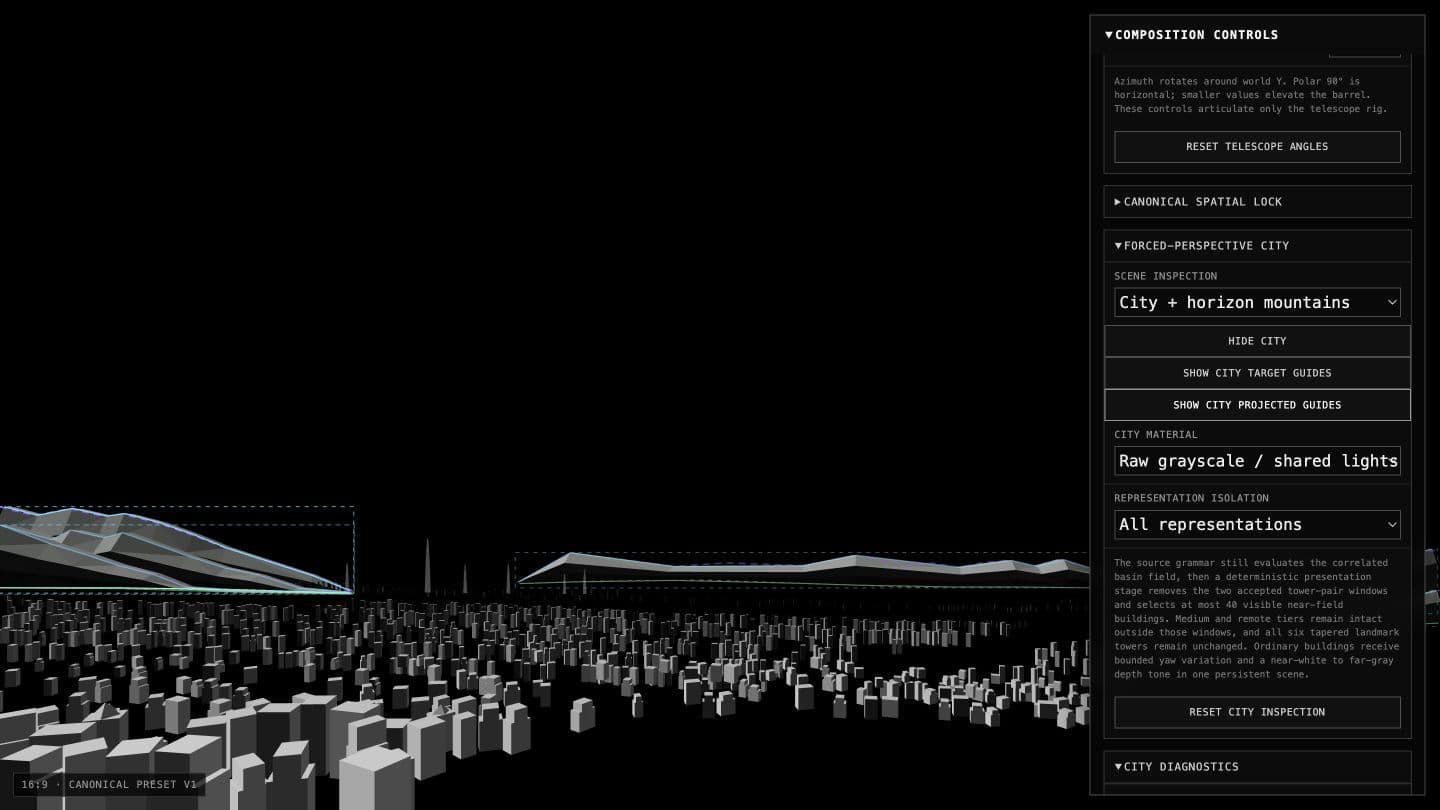
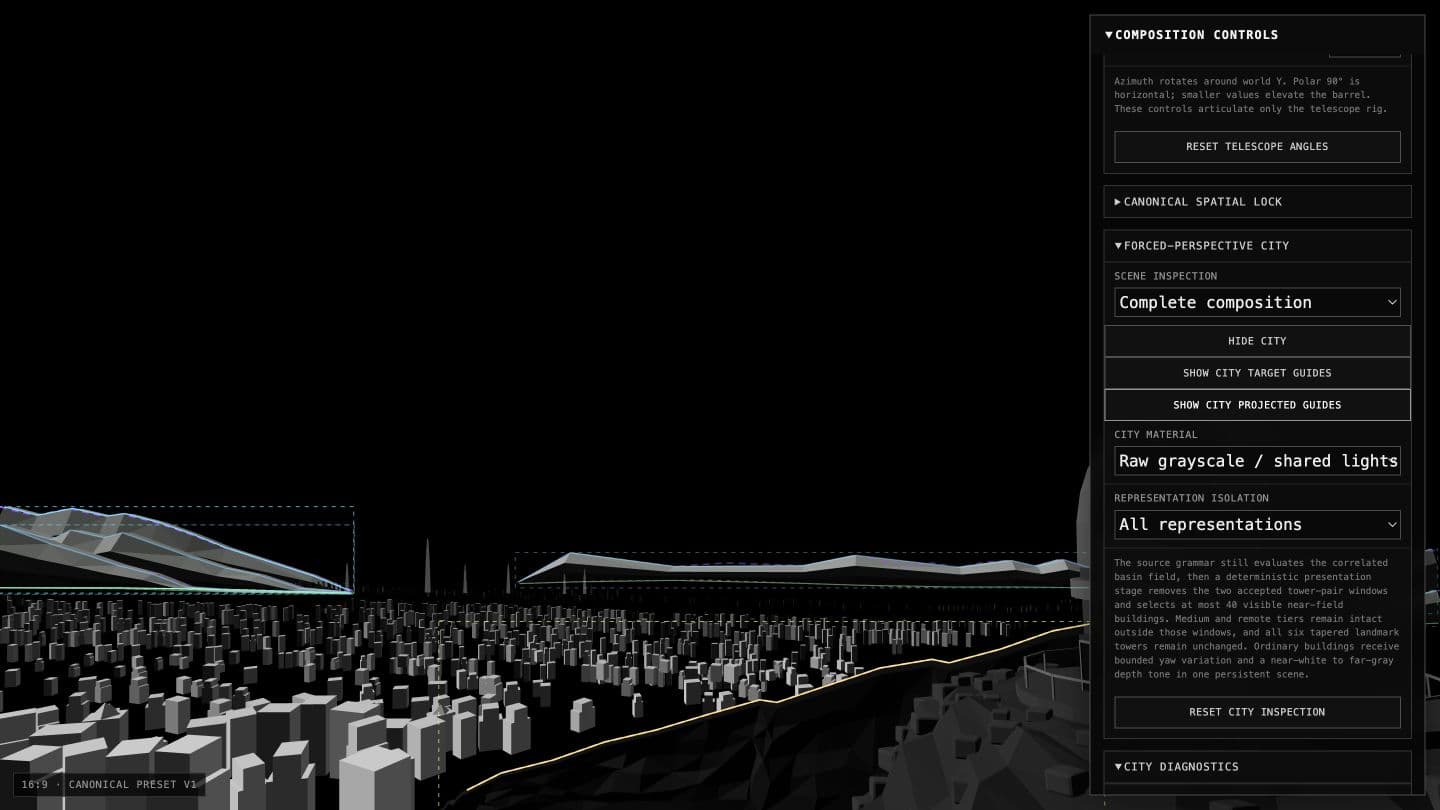
Once I knew where the main elements should be, I still had to construct them. Treating the entire scene as one object quickly became unhelpful because each part failed in a different way. The city needed to feel enormous without appearing close. The mountains needed controlled silhouettes rather than procedural noise. The dome and telescope had to remain mechanically recognizable after the shader converted them into marks. The sky needed interactive stars without losing all of its negative space.
I therefore separated the city, terrain, Observatory, and sky into their own systems and experiments. This made failures much easier to isolate and also allowed multiple agents to work without constantly colliding. The important constraint was that every system still had to answer to the same reference and, eventually, the same camera. Independence was useful; visual independence was not.
04 / Labs
LABS AS VISUAL CONTROL
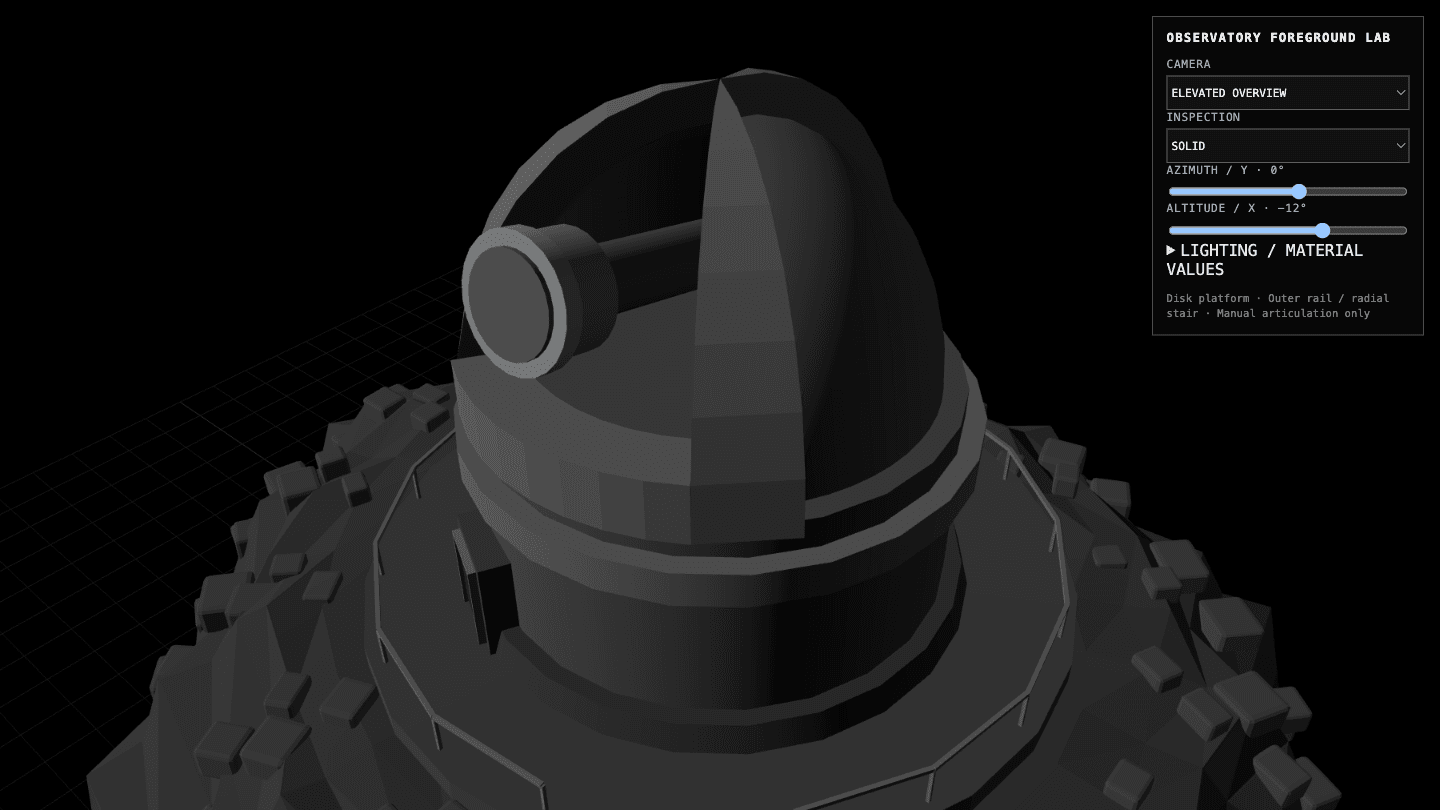
If there is one concept you take from reading this, it is to use Labs. When a visual decision is buried inside the full application, changing it through chat becomes a chain of vague instructions, screenshots, and guesses. A Lab is simply a small side application that places the thing being judged beside the controls that actually affect it.
The Observatory Lab exposed its camera, articulation, lighting, material, and inspection modes. The City and Shader Labs exposed completely different controls because they had completely different problems. The agent still built the systems, but the Labs gave me direct control over taste. Instead of describing a change and hoping it was interpreted correctly, I could move the relevant value myself, compare the result through a stable camera, and preserve an accepted state.
05 / Composition
PUTTING IT ALL TOGETHER
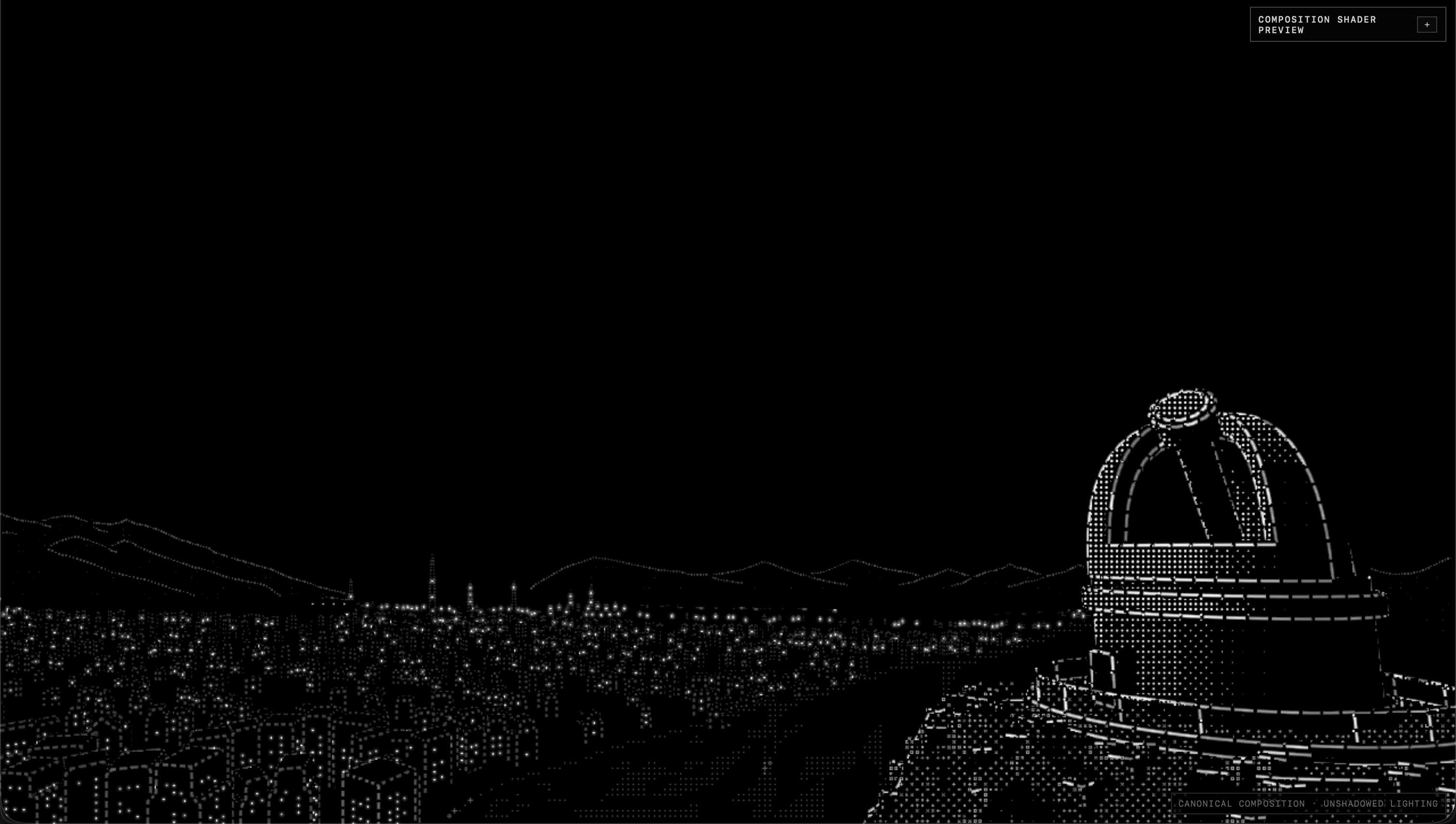
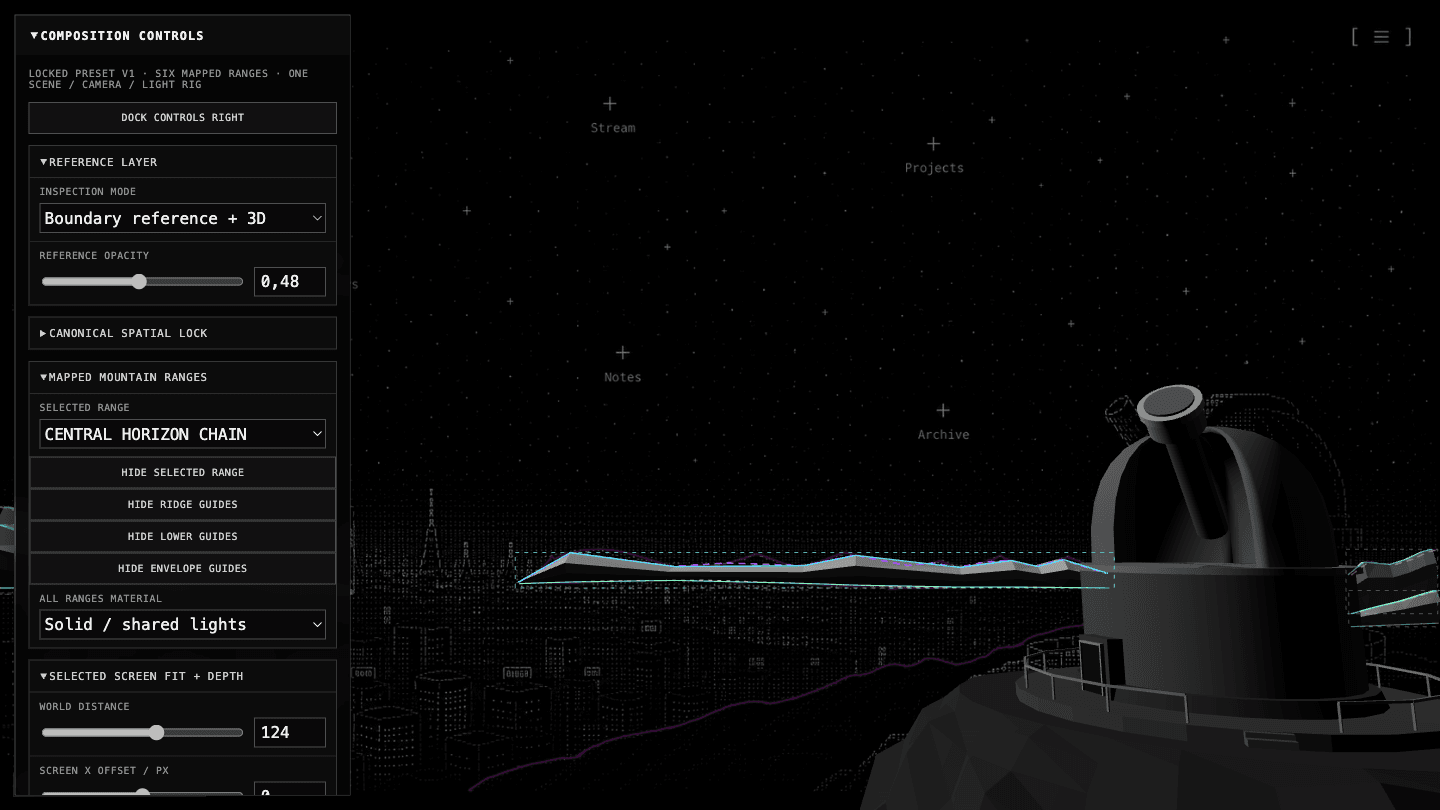
Separate systems can each look correct and still look terrible together. To prevent that, I created a canonical composition host with one camera, renderer, lighting state, and reference alignment. I could enable the layers one at a time, inspect the raw geometry, and keep the original image visible behind everything while calibrating the scene—basically, the final Lab combining all the others, so that I could manage every parameter myself and find the best composition manually.
06 / Shader
FINDING THE VISUAL LANGUAGE
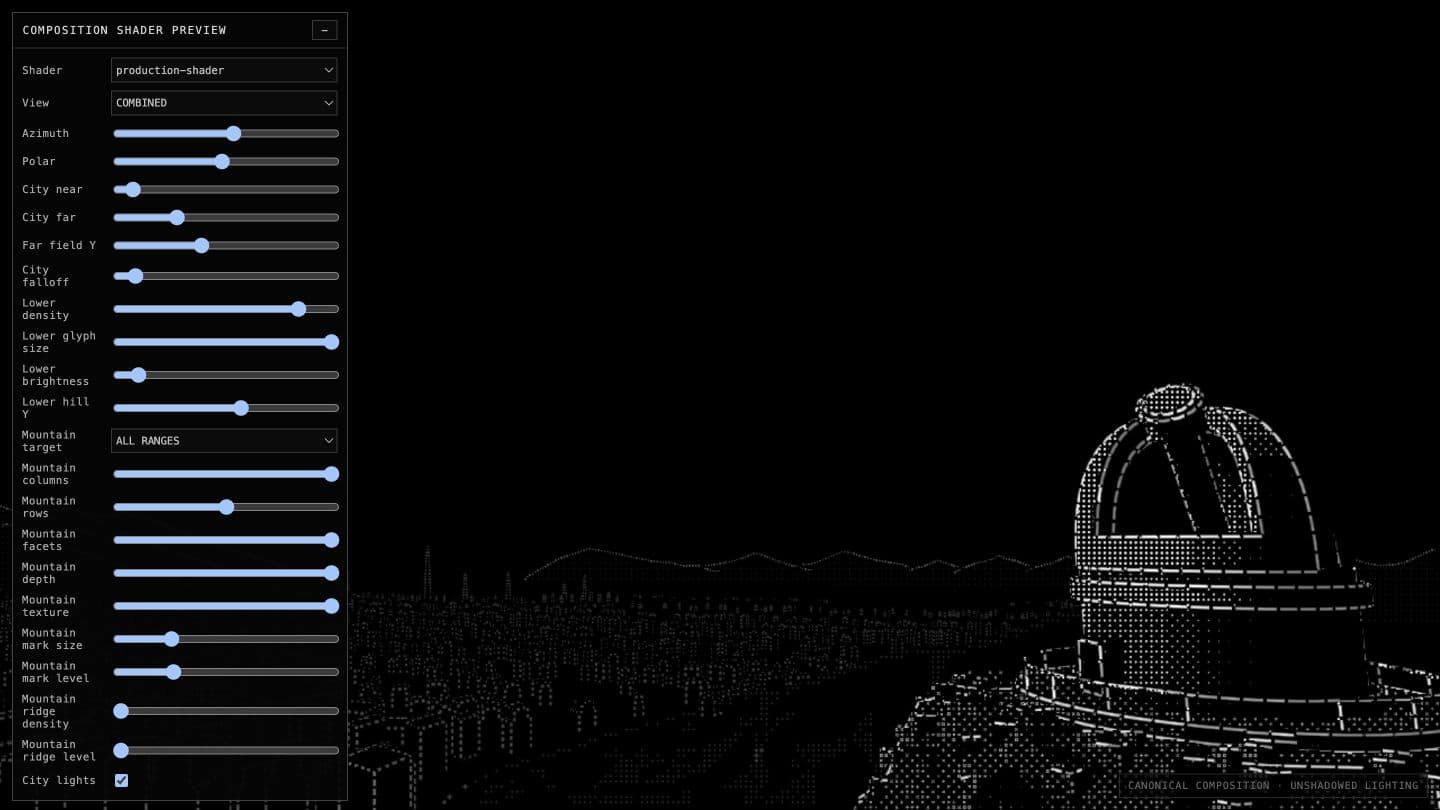
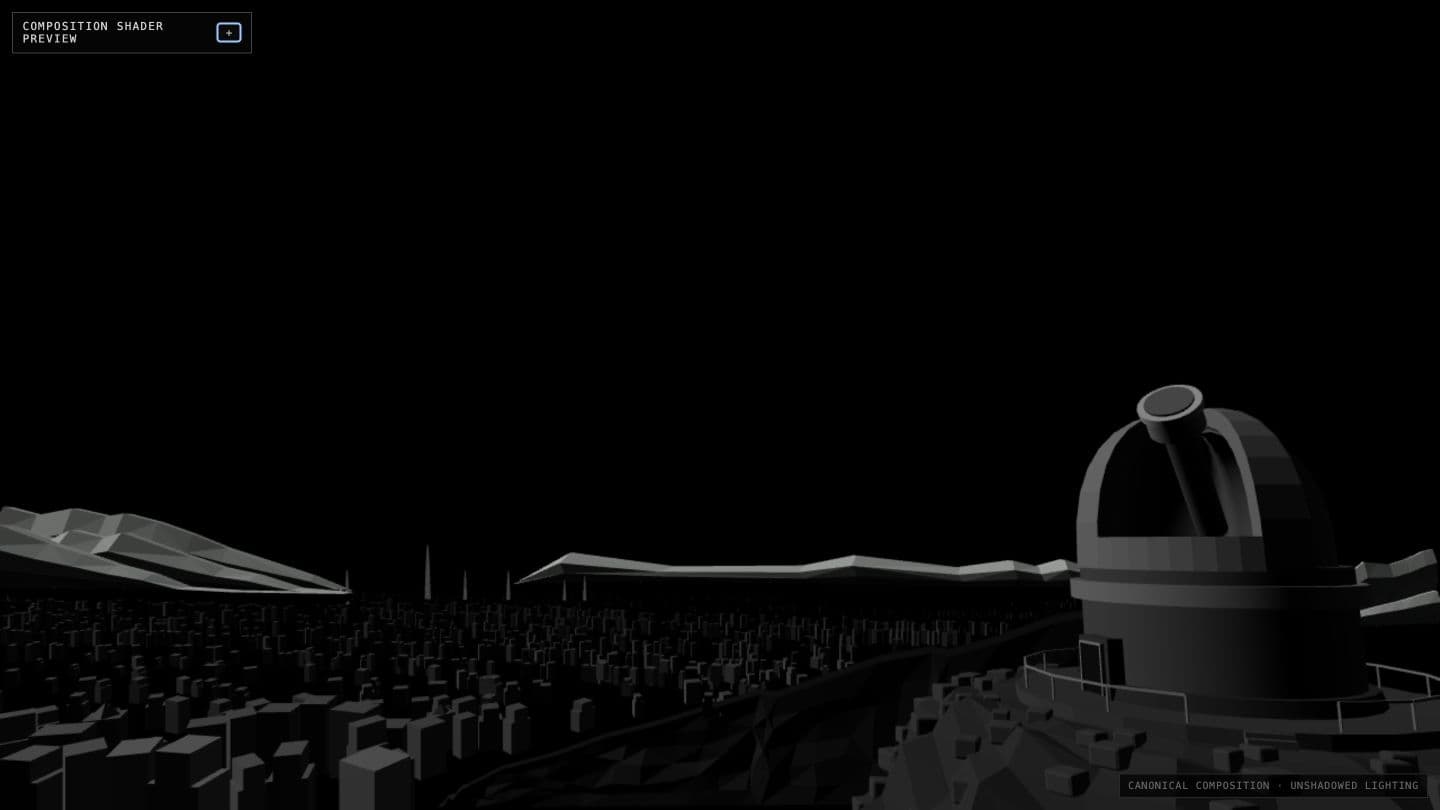
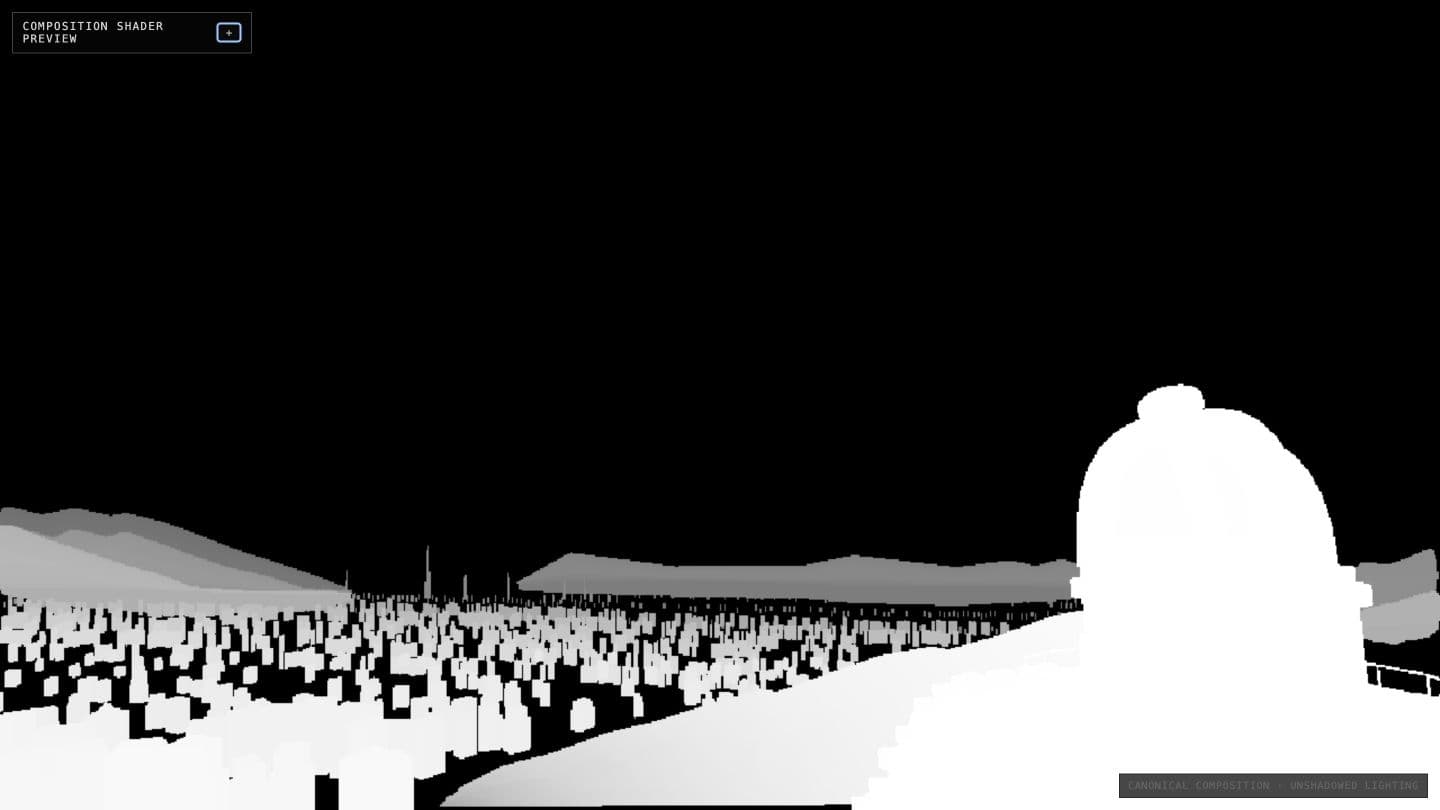
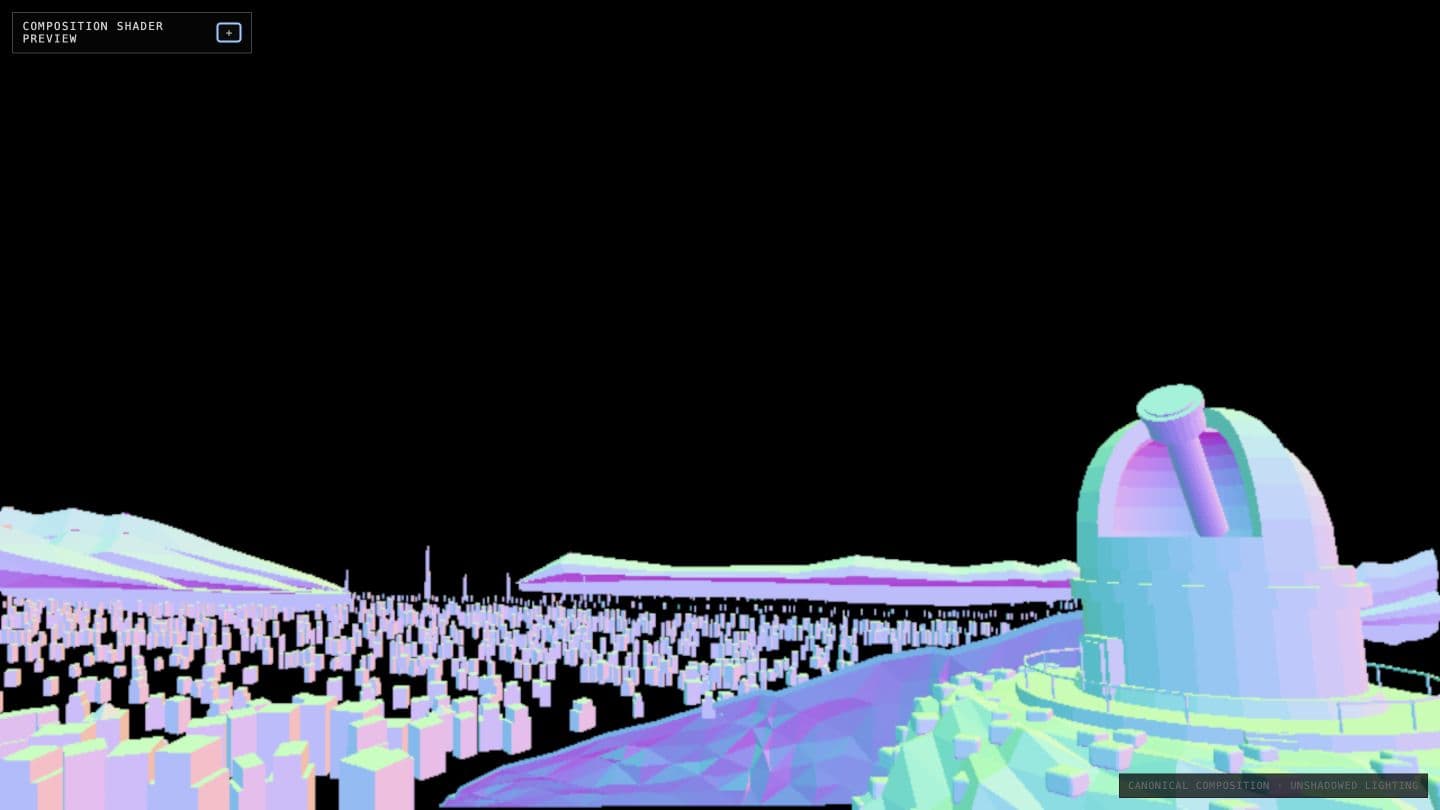
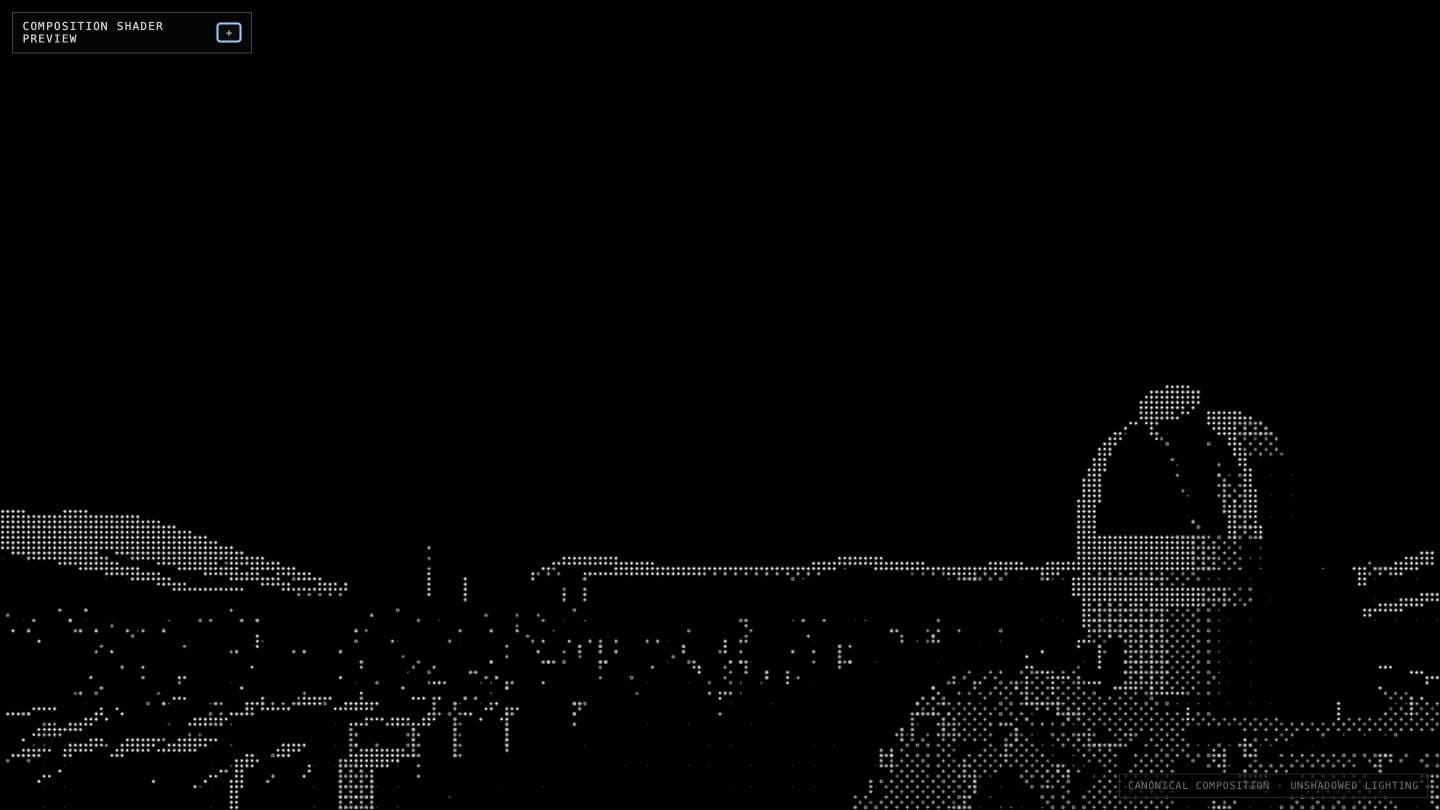
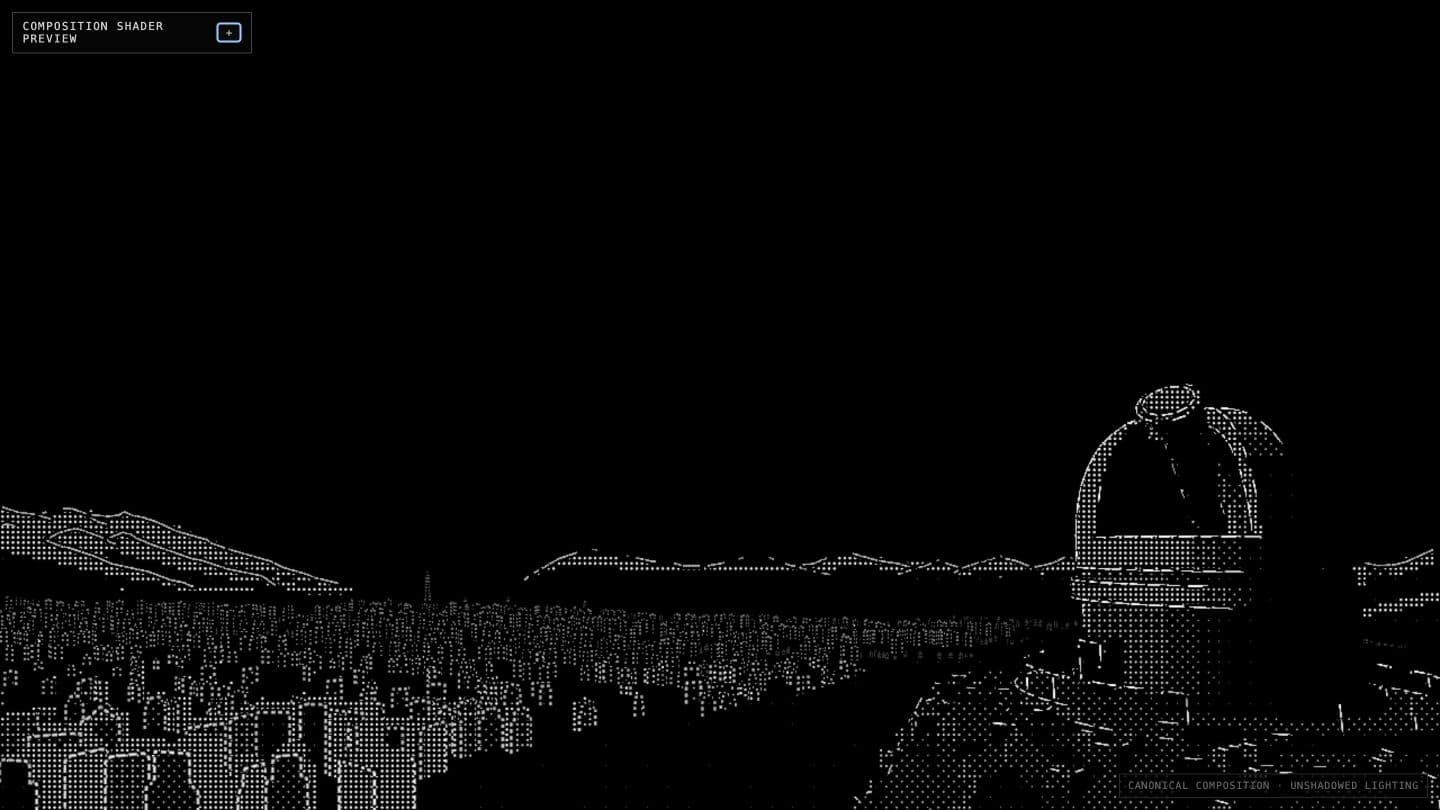
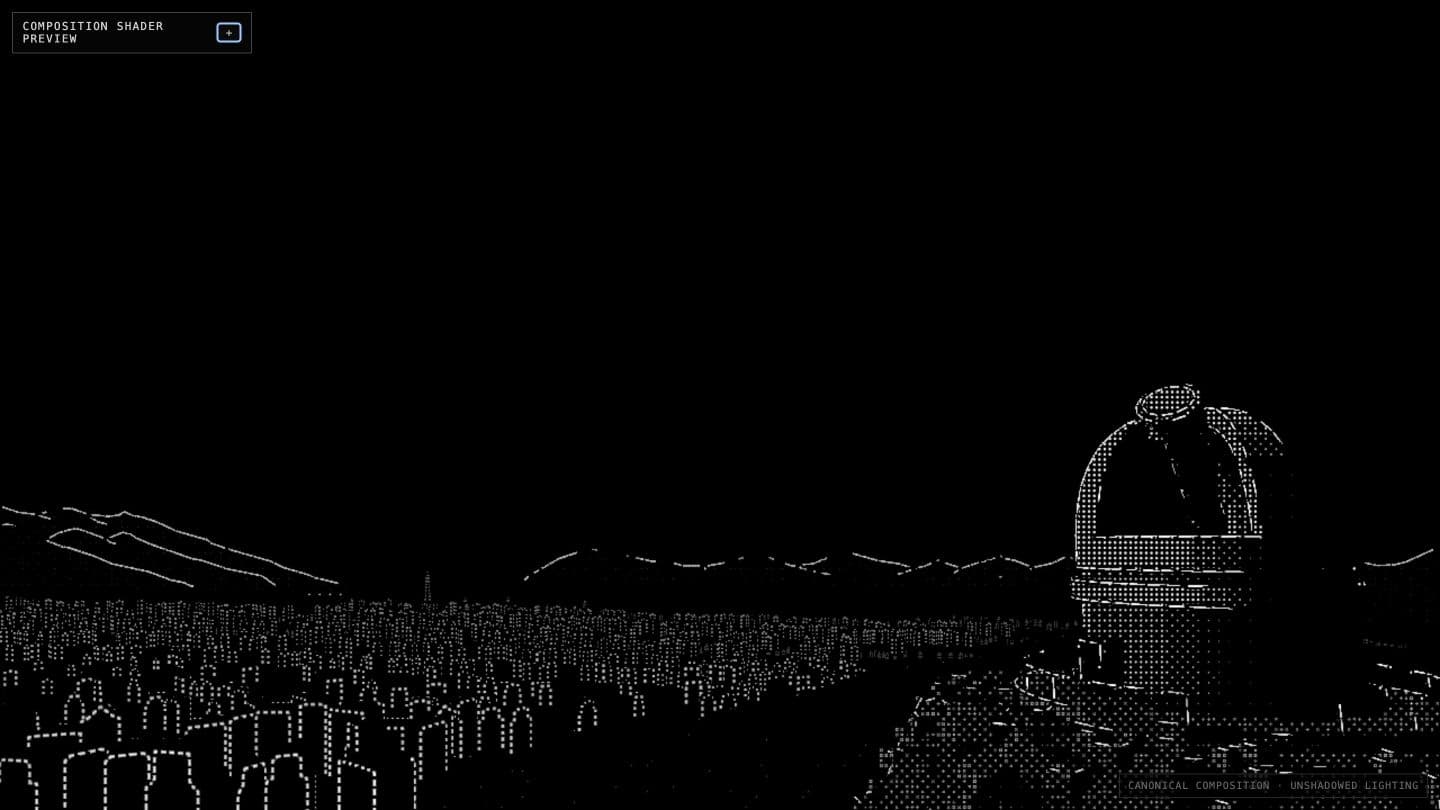
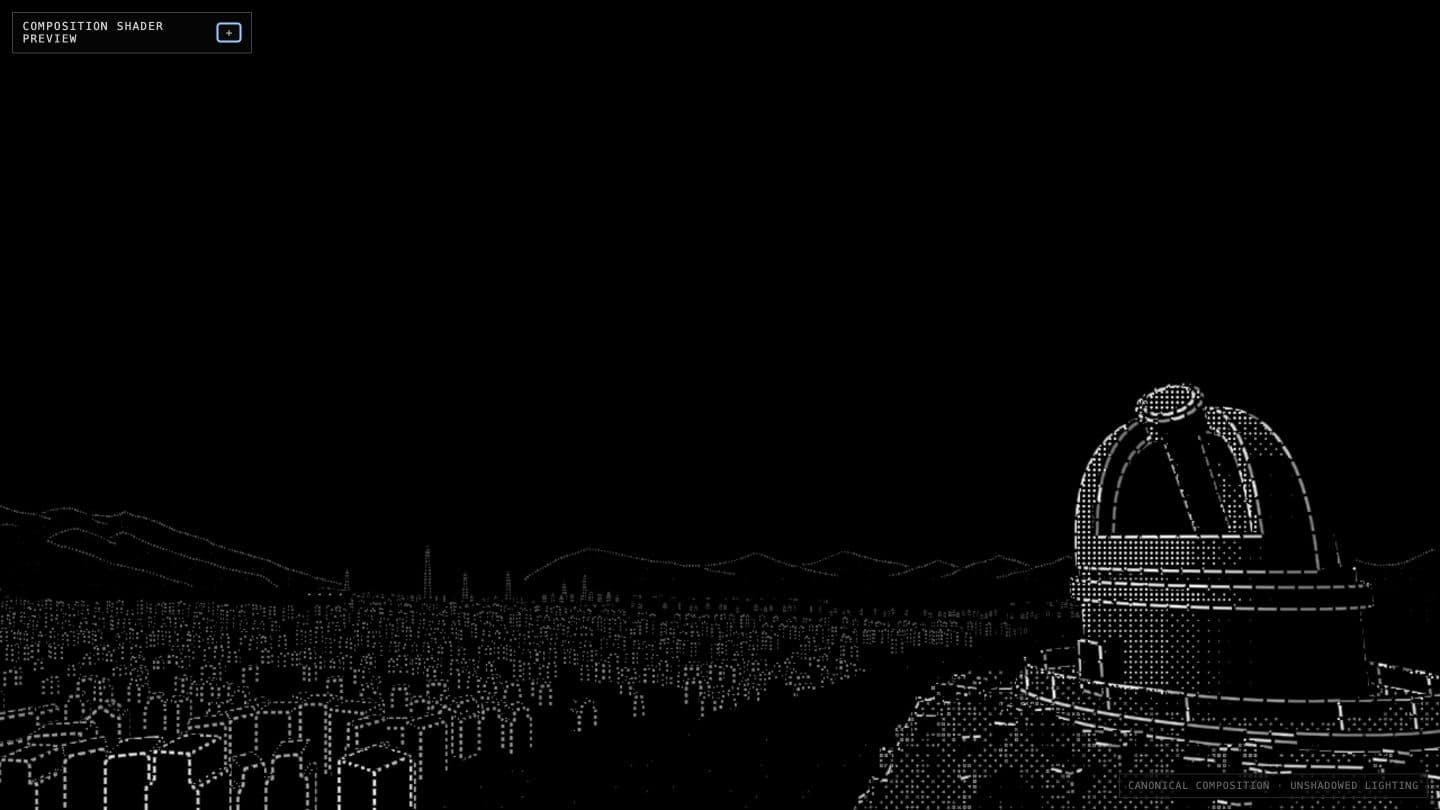
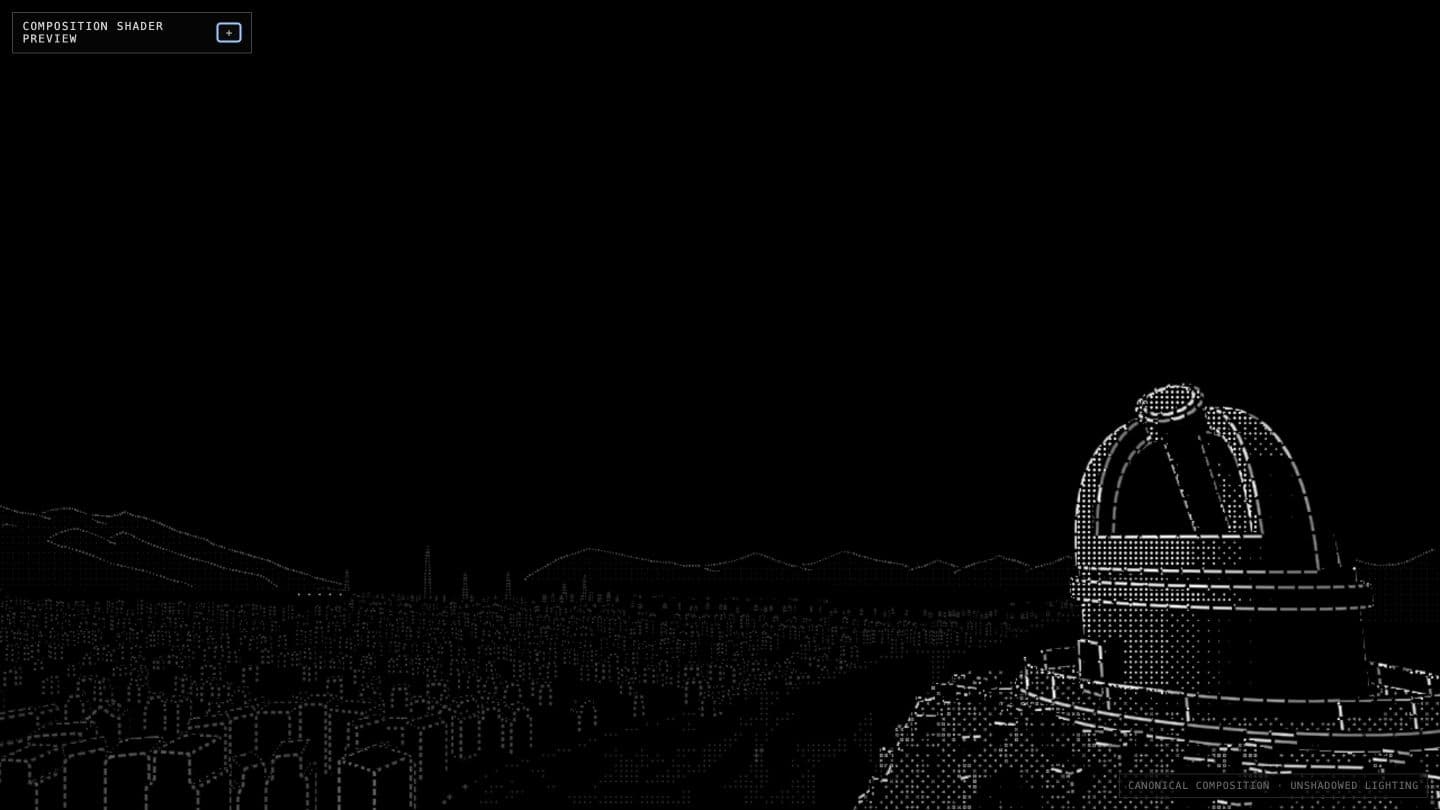
I kept calling this an “ASCII shader” during development, but that eventually became inaccurate. The final language is made from dots, short marks, and micro-glyphs whose density and brightness describe material and distance. Underneath those marks there is still real Three.js geometry, which means depth, normals, lighting, and object ownership continue to matter.
The Shader Lab let me isolate those signals instead of trying to understand all of them at once. When a change solved a specific problem, I saved it as a new immutable preset rather than overwriting the previous one. The presets became a history of visual decisions: I could keep experimenting without losing the last state that actually worked (a surprisingly easy thing to do when one slider changes the entire scene).
Selected shader states
07 / Interface
MAKING THE SITE FEEL ALIVE
Once the world worked, the rest of the website risked feeling pasted on top of it. I deliberately kept two visual languages: Geist Sans makes navigation and longer reading quiet, while Geist Pixel appears when something is acquiring, resolving, or assembling. They are clearly different, but both still belong to the same technical, slightly strange atmosphere.
I tested the motion language on a separate page before applying it to the real interface. On Home, hovering over a destination reveals a natural constellation rather than drawing every line back to one artificially important star. Selecting it transfers that state into the route transition. The fullscreen menu uses the same principle: it dims and defocuses the world, but never pretends that the world behind it has disappeared.
08 / Reflections
WHAT I LEARNED
The most useful result of this project is not one shader, model, or animation. It is the realization that subjective visual direction does not need to remain vague just because it is subjective.
I did not automate taste. I made it inspectable. Tracing turned spatial intent into something both the agents and I could point at. Labs gave me direct control over the variables that mattered. Diagnostics and presets prevented good decisions from disappearing inside later experiments. None of these tools decided what looked right; they made it much easier to see, compare, and preserve what I had decided.
It also clarified how I want to work with AI. Agents are remarkably good at searching, constructing, comparing, and validating at a scale that would otherwise be impractical. My role is to decide what should exist, make the ambiguous parts explicit, and judge what survives. The workflow became much better once I stopped treating those roles as competitors.